Table of Contents
IPTV Free Trial – How to Test Any Service Before You Buy in 2026
An IPTV free trial is one of the smartest ways to evaluate a streaming service before committing to a paid subscription. With hundreds of providers on the market offering wildly different channel quality, server stability, and pricing, testing before you buy can save you time, money, and frustration. In this guide, we break down everything you need to know about the iptv-free trial process — what to look for, how to request one, what to test during your trial period, and how to spot providers worth paying for.
What Is an IPTV Free Trial and How Does It Work?
An iptv free trial is a short-term access period — typically 24 to 48 hours — offered by providers that allows potential subscribers to test the service at no cost. During this window, you get access to the same channels, video-on-demand library, and server infrastructure that paid subscribers use.
The trial works by providing you with temporary login credentials — usually an M3U URL or Xtream Codes username and password — that you enter into an IPTV player app on your device. Once entered, the full channel list loads and you can evaluate everything from picture quality to channel variety to server stability.
Most legitimate providers offer the test period because they are confident in their service quality. If a provider refuses to offer any kind of free test, that can itself be a warning sign worth noting. The iptv free trial has become a standard practice among reputable services, making it easy to compare options side by side without financial risk.
IPTV Free Trial – What to Test During Your Trial Period
Getting access to a trial is only half the battle. Knowing what to evaluate during your iptv free trial is what turns it from a casual browse into a meaningful assessment. Here is a structured checklist to follow.
1. Channel count and variety Browse the full channel list. Does the service cover the genres and regions you care about — sports, news, entertainment, international? A quality provider will have hundreds, often thousands, of organized channels available during the test.
2. Picture quality Switch between SD, HD, and 4K channels. Notice whether the image is sharp and stable or pixelated and prone to freezing. HD quality should be consistent across major channels, not just a handful of showcase streams.
3. Server stability and buffering Stability is the single most important factor in any iptv-free trial. Watch a live channel for at least 15–20 minutes. Try switching between channels rapidly. Note how long channel loading takes and whether you experience any buffering or dropouts.
4. EPG accuracy Check whether the Electronic Program Guide matches what is actually playing. A well-maintained EPG is a sign of a professionally run service with ongoing technical investment.
5. VOD library If the service includes video-on-demand, browse the movie and series catalogue. Check how recently content was updated and whether it loads quickly.
6. Device compatibility Test your iptv free trial on every device you plan to use — smart TV, phone, tablet, and computer. Not all providers are optimized for every platform, so multi-device testing is essential.
7. Customer support responsiveness Send a question to the provider’s support team during your trial. Response speed and quality tells you a lot about what post-purchase support will look like.
How to Request an IPTV Free Trial – Step by Step
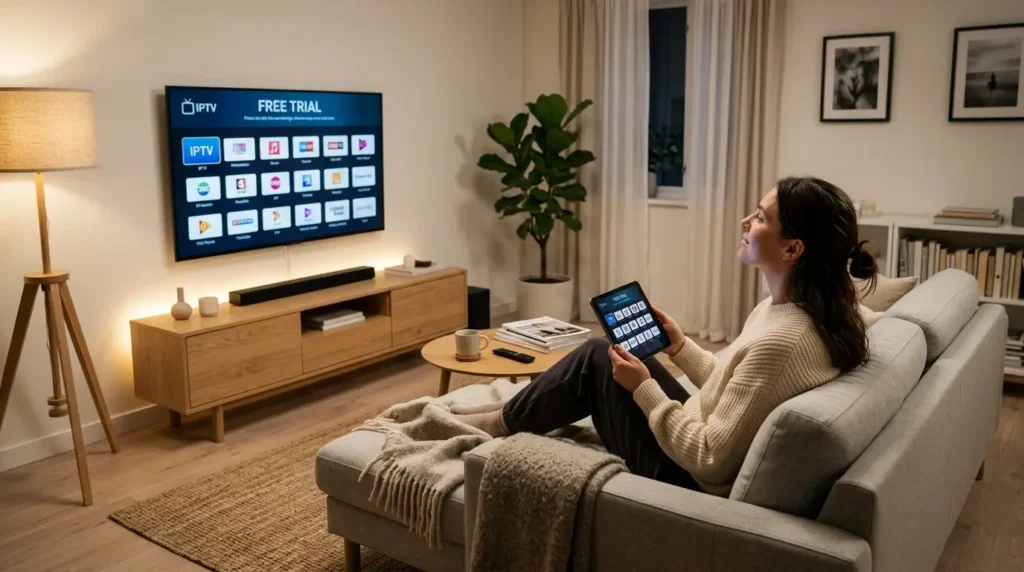
Most providers make it straightforward to request an iptv-free trial. Here is the typical process:
- Visit the provider’s website and look for a “Free Trial,” “Test Subscription,” or “Try Now” option — usually prominent on the homepage
- Fill in a short form with your name and email address — no payment details should be required for a genuine free trial
- Receive your credentials by email, typically within minutes
- Download an IPTV player app on your device — Tivimate (Android), IPTV Smarters (multi-platform), or GSE Smart IPTV are the most widely used
- Enter your trial credentials in the app under “Add Playlist” or “Xtream Codes”
- Start testing — the channel list will load within 1–3 minutes
A genuine iptv free trial requires no credit card. If a provider asks for payment details before giving you trial access, treat that with caution — legitimate services do not need your card to let you test the product.
IPTV Free Trial – Red Flags to Watch For
Not every provider that advertises a free test is worth your time. During the iptv-free trial evaluation, watch out for these warning signs:
Channels that constantly buffer: One or two drops during a 24-hour trial is acceptable. Constant buffering, frozen frames, or channels that simply won’t load indicate poor server infrastructure that will not improve after you pay.
Limited channel access during trial: Some providers offer a deliberately stripped-down trial with only a fraction of their actual channel list. This makes it impossible to properly evaluate the service. A trustworthy provider gives you full access during the test period.
No EPG or broken program guide: A missing or inaccurate EPG suggests the service is not well-maintained. This typically gets worse, not better, over time.
Unresponsive or scripted support: If your support query during the iptv-free trial receives a generic auto-reply or goes unanswered, expect the same after you subscribe.
No refund policy on paid plans: Check whether the provider offers a money-back guarantee on paid subscriptions. Providers confident in their quality usually do.
IPTV Free Trial vs Paid Subscription – Making the Switch
Once your iptv free-trial period ends, you have enough information to make a confident decision. Here is how to evaluate what you experienced:
| What You Tested | Acceptable | Not Acceptable |
|---|---|---|
| Buffering frequency | Rare or none | Frequent |
| Channel load time | Under 3 seconds | Over 8 seconds |
| EPG accuracy | Mostly accurate | Missing or wrong |
| HD picture quality | Consistent | Pixelated or unstable |
| Support response | Under 24 hours | No response |
| VOD library | Recently updated | Outdated or slow |
If the service passes most of these benchmarks during your iptv free trial, it is generally safe to move forward with a paid plan. Start with a monthly subscription before committing to longer plans — this gives you an additional safety net if quality declines after the trial period.
Important: Always verify that the provider is operating legally and holds appropriate content licenses. Use authorized services and comply with the copyright laws in your country.
IPTV Free Trial – Frequently Asked Questions (FAQ)
What is an iptv free trial? It is a short-term free access period — usually 24 to 48 hours — offered by IPTV providers so you can test the service, channels, and server quality before purchasing a subscription.
Do I need a credit card for an iptv free trial? No. A legitimate free trial requires only your email address. Never provide payment information to receive a test subscription.
How long does an iptv free trial last? Most providers offer 24 or 48 hours. Some extend to 72 hours or even a full week for premium testing. The length varies by provider.
What app do I need to use my iptv free trial? The most popular IPTV player apps are Tivimate (best for Android), IPTV Smarters (multi-platform), and GSE Smart IPTV. Your provider will specify which formats are supported.
Can I test on multiple devices during my free trial? This depends on the number of connections included in the trial. Most providers allow one or two simultaneous connections. Ask the provider before testing across multiple devices.
What should I do if my iptv free trial has poor quality? Move on and try a different provider. Do not purchase a subscription based on promises of improvement — server quality during the iptv free trial is representative of the actual paid experience.
IPTV Free Trial – Summary and Final Advice
The iptv free trial is your most powerful tool as a consumer in the IPTV market. It eliminates guesswork, protects your money, and lets you make a genuinely informed decision based on real performance data rather than marketing claims.
Always test thoroughly — at minimum 2–3 hours of active use across different channels, genres, and devices. Take notes on buffering, quality, and responsiveness. And never rush from trial to purchase without satisfying yourself on the points that matter most to your viewing habits.
The best IPTV providers welcome the iptv free trial process because they know their service can stand up to scrutiny. Use that confidence as your filter when choosing where to subscribe.
Note: Content availability and service quality vary by provider. Always use licensed, authorized services and comply with applicable copyright laws in your country.